OEM Part Validation (from version 2.6)
最后更新于 2026年6月11日2 分钟阅读The OEM Part Validation feature, introduced in version 2.6, continues to be supported exclusively on iOS devices.
Once a device is connected, the validation process runs automatically and displays the results. In addition to validating device parts, the feature now also presents Device Origin information within the same tab, including the device purpose (e.g. retail or demo unit), manufacturing date, and serial number.
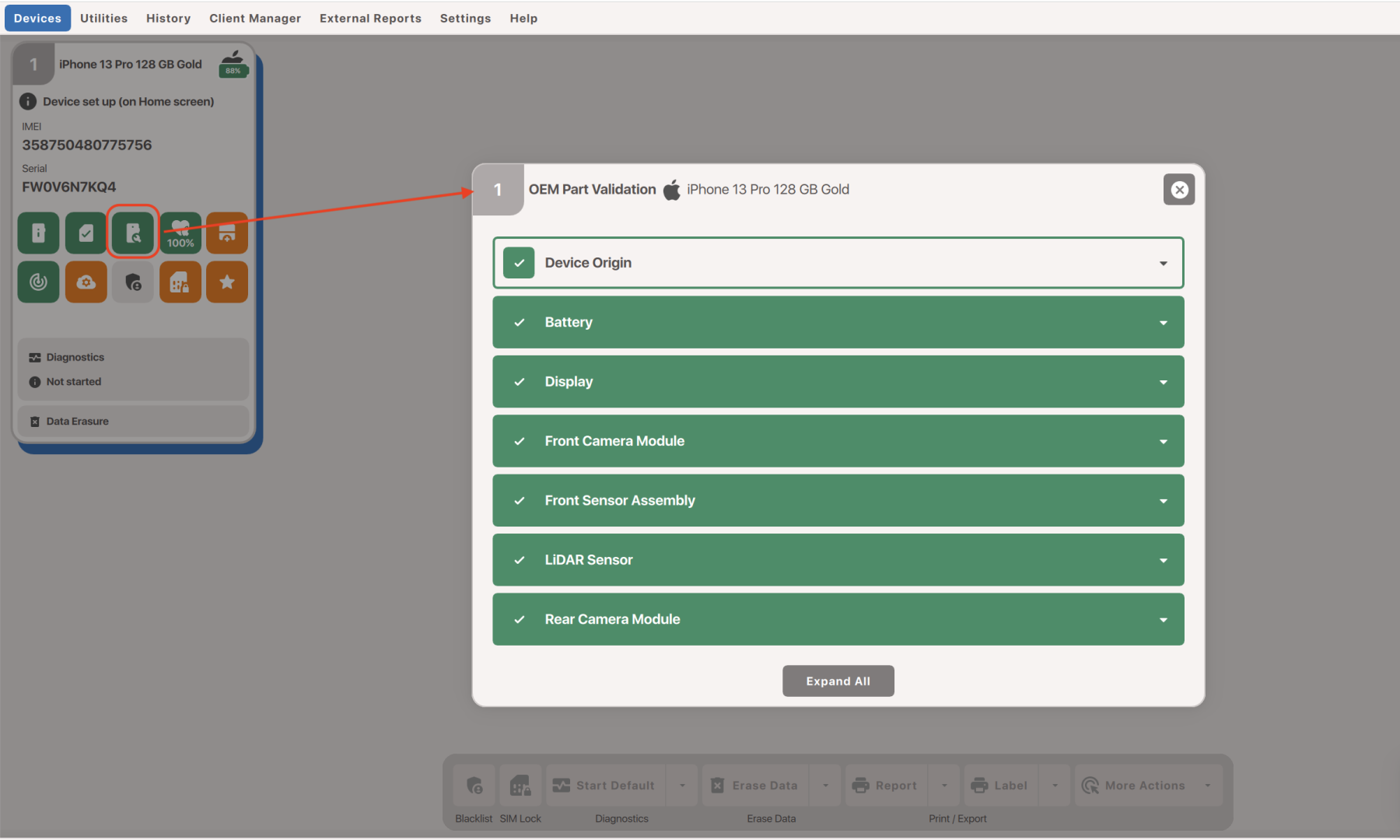
Part validation has also been expanded. In addition to individual components, the system now validates Part Groups. For example, within the display group, both the digitizer and LCD can be checked separately. By expanding a Part Group, users can access detailed information for each individual component, including manufacturing dates and serial numbers.
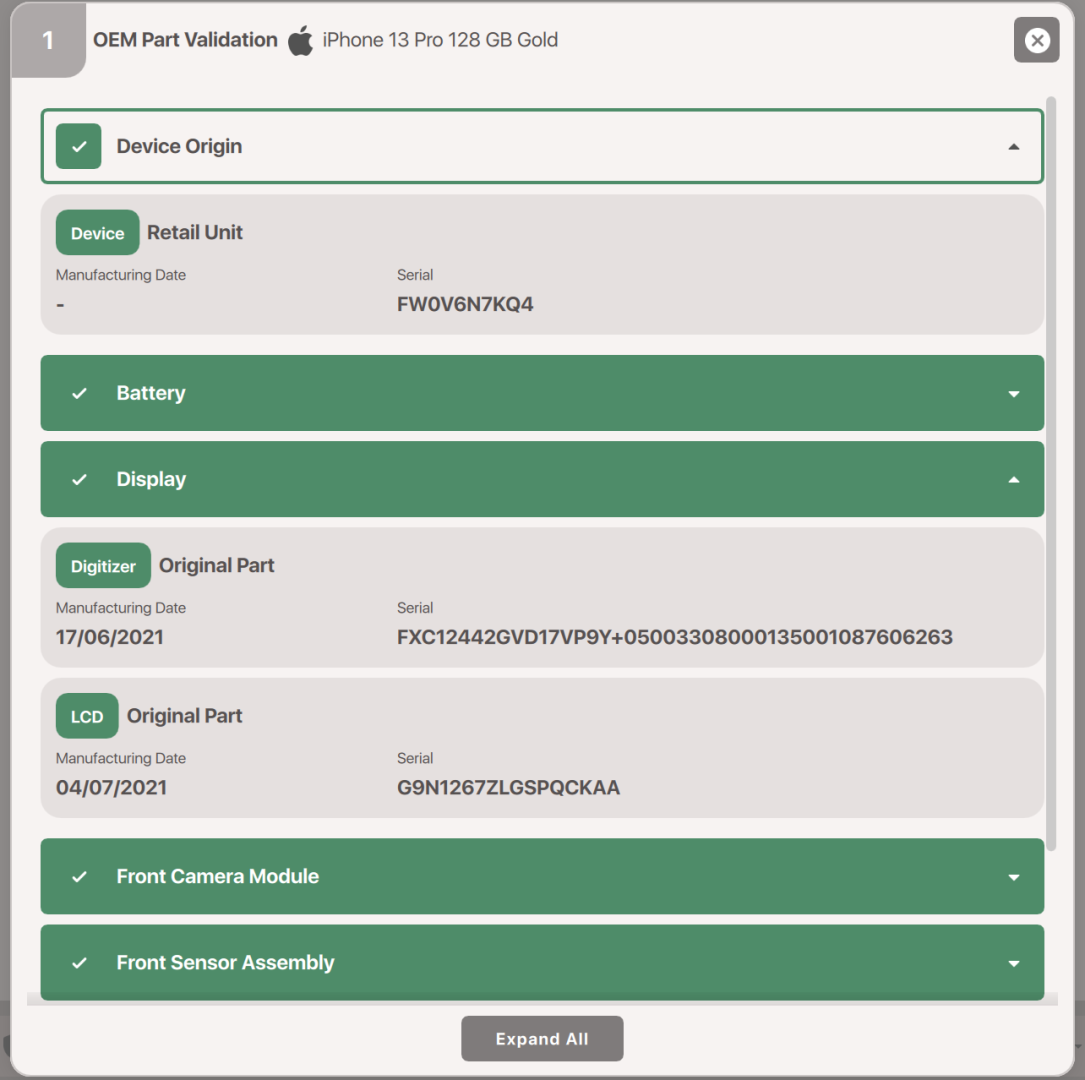
If a component has been replaced, repair history information is also provided. This allows users to compare the serial numbers and manufacturing dates of both the current and previously installed parts.
If a part has been removed from the device and has not been replaced, the system will display a “Missing” status.
All OEM Part Validation data can be reviewed in M360 History, as well as in the Work History section available from the Dashboard.