Atraskite naujausias funkcijas ir atnaujinimus.
Įdomus mūsų atnaujinimų ir jų pagrindinių funkcijų pristatymas.
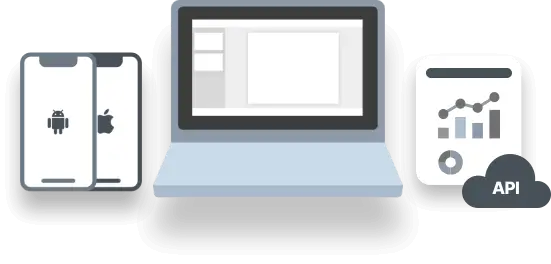
This update gives you more control over your operations, more flexibility in how you work, and expands M360 support across even more devices. From managing different teams to creating better labels and working with Apple Watch devices, the latest M360 release helps make day-to-day operations more organized and efficient.
What’s New:
- New Line Manager Role
- Professional and Business subscribers can now set up dedicated Line Managers for individual operator groups
- This gives businesses running multiple teams, product lines, or operational processes more control over how each group works:
- Assign dedicated managers to specific operator groups
- Configure separate workflows, settings, and templates
- Better separate different product lines or operational processes
- Keep larger and more complex operations organized and scalable
- Whether you operate one processing line or several teams with different requirements, Line Managers make it easier to adapt M360 to the way your business actually works.
- Updated Label Designer
- We’ve improved the M360 Label Designer to make creating and managing labels more precise, flexible, and intuitive
- The updated designer includes:
- New fields for displaying more devices and operation information
- Additional editable nodes and configuration options
- More precise positioning and label customization
- An improved overall editing experience
- The result is more control over what appears on your labels and how information is presented across different workflows
- Expanded Apple Watch Support
- Apple Watch support continues to grow in M360.
- With this release, we’ve added several new capabilities to help bring wearable devices further into your diagnostics and processing workflows:
- Manual diagnostics
- Grading
- Data Erasure functionality
- Additional device information keys
- We’re continuing to expand Apple Watch functionality in upcoming M360 releases, so stay tuned for further improvements.
What's Improved:
- Faster and smoother setup bypass on Android devices
What’s Improved:
- iOS app: streamlined permission flow - granting permissions is now faster and more intuitive, with fewer steps to get you up and running
- Smarter TrueDepth testing - the TrueDepth test has been refactored with automatic detection, making it easier to use and able to catch more issues on its own
What’s fixed:
- Stability fixes here and there
Faster. More Stable. More Powerful.
Versija 2.7.0 - 2.7.5This major update brings along with it a whole suite of feature improvements and expansions, focusing on upgrading existing systems. Higher efficiency, stability, and speed can be expected on all fronts of M360. Check out the details below:
What’s New:
- Developer mode can now be enabled on iOS devices automatically, which enables the following functions:
- Upon installing the iOS app, it can now automatically open
- Automatic diagnostics can be enabled to run even on iOS without needing manual input
- Battery health is read out faster, often without needing to press any physical buttons
- Android 16+ devices can now be used in trade-in/evaluation mode enabling the following features:
- Android setup is completely bypassed just like iOS
- USB-Debugging automatically enabled
- Full testing and device information capabilities, exactly like normal mode
- Shutdown/restart performs a data erasure
- Support for Korean and Hindi languages has been added
- Professional mode is now a setting, which when enabled removes most user warnings and prompts to speed up workflows
What’s Improved:
- iOS detection without trust on Windows is now on par with the Mac version, displaying a lot more data
- Tutorial system has been refactored, and is now set to receive many more tutorials
- Data erasure now waits to confirm until the device has restarted, ensuring no incompatible processes can be started during it
- Status checker now also shows and warns about the state of the mobile apps being available or not
- Latest version of mobile app is now installed even when using an outdated but compatible version
What’s fixed:
- Added missing descriptions for certain device modes
- When using the Android Setup from QR feature, data erasure can now be performed even if it would be otherwise blocked on newer devices
- iOS FMIP/MDM checking refactored to stop freezes and getting stuck during activation
- A large amount of testing and stability fixes were done all around
Refurbished OEM Validation
Versija 2.6.0 - 2.6.12We have reworked our OEM validation system for iOS devices from the ground up. Better detection, more precise data, and further details are all part of this upgraded system. Packaged into a new UI as well, documenting and validating OEM parts is now simpler than ever!
What’s New:
- Missing parts are now also displayed in the OEM check, not just replaced ones
- A repair history is now provided in the OEM check
What’s Improved:
- OEM checks show more data about the serial values, and manufacturing/repair dates
- Different types of replaced parts are now distinguished, separating official and unofficial repairs
- SD Card detection has been improved, and no longer requires the mobile app
What’s fixed:
- Fixed certain label device information disappearing instead of showing N/A when empty
SIM Data and Untrusted iPhones
Versija 2.5.0iOS asset information can now be accessed without requiring device "Trust" authorization (MacOS only). Some limited functionality and Device Information is available, including report and label printing. This update also brings more detailed information about the presence of SIM cards, eSIM, and even the SIM tray for iOS devices.
What’s New:
- Added a setting to enable automatic printing of labels, with various options
- SIM Lock checks can now also be run automatically like Blacklist checks, can be enabled in Settings/Automation tab
What’s Improved:
- Improved the display of certain notifications to appear on phonecards instead
- eSIM, SIM cards, and the SIM tray are now displayed in their own menu on the phonecard
- Additional device color infos added
What’s fixed:
- Fixed certain devices showing a Stylus test despite not having one available
- Cleaned up certain errors with tutorial versions
What’s New:
- Wifi profile is now automatically uploaded to iOS devices when diagnostics that include the Wi-Fi test is initiated, provided that Wifi credentials are configured in Settings
- Romanian language support
What’s Improved:
- Previously, the custom ID could only be required if it had not been set before. Going forward, you can configure in Settings that the operator must enter a custom ID on every connection, which will overwrite any existing value
Native Support for Apple Silicon
Versija 2.4.0Enjoy reduced memory usage, smoother performance, and faster startup with native Apple Silicon support. To take advantage of these improvements, please download and reinstall the Apple Silicon version of the application.
What’s New:
- We are now partnered and integrated with ResellSync
- You can now enable automatic volume control for audio tests in Settings
- On dual-screen devices, you can now grade each screen independently
What’s Improved:
- Faster data erasure on Android devices for improved efficiency
- Multiple operators can now work on the same batch at the same time
- Enhanced the biometric test to allow evaluations without requiring Face ID registration
What’s fixed:
- Fixed numerous bugs, primarily improving stability and handling of edge cases
Erasure and New Diagnostics
Versija 2.3.0 - 2.3.1Erasure process have been streamlined, with flashing options moving to be apart of the same menus rather than an entirely different window. As part of this, we have brought in an alternate method of erasure for iOS devices, using the flash process. This update also brings in a brand new test for True Depth cameras for iOS devices, and improves existing ones!
What’s New:
- Flash Erasure for iOS devices, which updates the device but does not remove E-SIM
- Flashing is now treated as Erasure in the History menu, allowing you to view all types of wipe operations done to a device at once
- Google Pixel phones now also support displaying device color
- Added the True Depth test to iOS devices, for testing the true depth camera
What’s Improved:
- The number of options for automatic filename prefixes has been increased in the settings
- Device information will no longer try to read from iOS devices when they are still loading
- The Hardware Button test now supports iPhone Camera Button testing
- Loading screens and indicators have been remade to be clearer and function better
What’s fixed:
- Adjusted scenarios in which devices could get stuck loading erasure without actually performing the operation
- Added missing flash data from the label designer
- Fixed false and missed MDM states being read out from devices in certain cases
- Fixed Wipe data not copy pasting despite icon showing in History
- Fixed an issue affecting certain options being disabled in the utilities menu when switching accounts
- Selection in the History menu should no longer jump when scrolling far
- Device wipe should no longer show as available despite being disabled for manual devices
- Fixed a freeze that would occur when pressing volume up + volume down for iOS devices during touchscreen test
- Removed a minor bug affecting operator settings
- Android devices now correctly perform automatic app installation when turning on
Continuing our commitment to improvements for battery measurements, we have brought some big ones this time! For iOS devices we have introduced the "Actual Battery Health" value, naming the previous one "OEM Battery Health". The new one is based on our calculations, that may provide more up to date information about the current state of a battery. You can choose either one in the battery menu to prioritize as more important.
What’s Improved:
- Samsung battery health measurements were also further improved to better account for freshly changed batteries
- Expanded MDM detection capabilities to account for cases where it was not properly detected
What’s fixed:
- Minor Fixes
Just a small quick update bringing battery health improvements and minor fixes.
What’s Improved:
- Completely remade Samsung Battery Health detection from the ground up, aiming to provide more consistent results on previously problematic devices. Please continue reporting any anomalous results, as that way we can continue to improve the system!
As an upgrade to the current Manager-Operator system, we are introducing Operator Groups! These allow you to sort and separate your operators, letting you set different settings and permissions for them. You can manage Operator Groups from your online Dashboard, within the settings menu.
What’s Improved:
- Introduced new, faster method to read EID values from iOS devices, which doesn't require any button presses
- The Bixby button is now correctly handled by the Hardware Button test on all Samsung devices
What’s fixed:
- Minor bugfixes
What’s New:
- Now you can exclude Panes from iOS Setup Bypass. Could be useful for Diagnostic tests, e.g. Location Pane for GPS test. Find it in Settings/Setup Bypass.
- When you unplug a device and forget to disconnect if from M360, you will receive a reminder dialog after 5 minutes. There you can decide if you would like to close the device's session or keep it alive.
What’s fixed:
- Fixed a bug affecting diagnostics results
- Fixed some crashes
One of our most requested features has arrived, lingering sessions! Now when you disconnect a device, the session doesn't end, letting you continue when you reconnect the device. This way, you can perform all operations for a device in a single session! Other than that, this update brings numerous other features and improvements.
What’s New:
- We now support testing the Bixby button during hardware button tests for Samsung devices
- New menus for Battery Details, FMiP, and MDM show more details as well as explanations for various data
- A new setting allows you to automatically prompt operators to add custom ID/SKU to devices, disabling other functions until it is added via a barcode scanner or manually
- In many cases you now don't need an internet connection to open the iOS apps, but if you do, your Wifi profile will be uploaded automatically
What’s Improved:
- Setup Bypass has been simplified, and its large checklist removed. Now all setup screens will always be skipped when the feature is used, with no need to configure it.
- Device information has been sorted into categories, allowing for an easier time viewing all data about a device.
- Necessary drivers are now automatically installed along with the application, then suggested to be updated whenever a newer version is available.
- Biometric faceID tests for iOS have a lot more details available just by closing the screen and opening it again, and may be passed without setting up a faceID manually.
What’s fixed:
- Fixed a bug affecting Quick Diagnostics which caused pass/fail buttons to disappear
- Addressed various crashes and freezes affecting version 2.0
- Fixed iOS devices reinstalling the app unnecessarily if they have a password set
- Wipe results should no longer claim the wipe failed if it actually succeeded
- View Sample PDF option no longer says it is unavailable in the export settings
- Overall significantly increased stability for version 2.0, thank you to all who provided feedback!
M360 V2
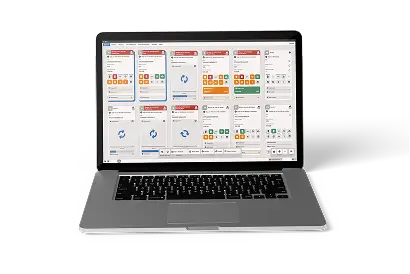
We are pleased to announce the arrival of M360 2.0, remade in design from the ground up! This update brings with it a massive UI and functionality overhaul, whilst maintaining the features you know and love. Phonecards are now comprehensively displayed in an easy to use grid display called Multiple View, which can be switched to a detailed view focusing on one device at a time known as Single View.
What’s New:
- As part of the massive overhaul, new built in interactive tutorials are available from the Help menu!
- The API also has a V2, with enhanced data access, improved endpoints, faster performance, and seamless integration with existing systems.
- We now display MDM data for Android devices as well.
What’s Improved:
- With a One-Click design, processes such as Diagnostics, Wipe, and iOS setup bypass can now be done without navigating multiple menus and buttons.
- The application is now automatically installed when needed, instead of needing to manually press a button for it. Uninstallation can still be done manually.
- All UI elements are given icons and color coded to provide quick information feedback
What’s fixed:
- Fixed issues with the biometric test for FaceID data
- Tons of minor fixes
Latest Compatibility
Whether a new iOS or Android update comes out, we always strive to ensure maximum compatibility. As part of our commitment to this, iOS 17 and the latest iOS 26 are now fully supported.
What’s new:
- In other great news, we are now partnered and integrated with WholeCell! Thanks to our API partnership you can import all of your M360 data into your WholeCell inventory.
What’s fixed:
- Flip/Fold phones no longer reset touchscreen test progress if the top menu is pulled down
- Android stability improved, less crashes are expected
- Other miscellaneous Android fixes
Flip and Fold
Versija 1.6.9Flip and Fold
With a major upgrade to our diagnostics, we now have tests specifically geared towards secondary screens. Samsung flip and fold devices of all versions now have separate diagnostic evaluations done for their outer screens. Fold and unfold the screen during testing, following the easy instructions on screen.
What’s improved:
- Samsung devices now provide more battery details, such as the number of charge cycles
- Google Pixel phones now also provide comprehensive battery details in device information
What’s fixed:
- Minor tweaks and fixes