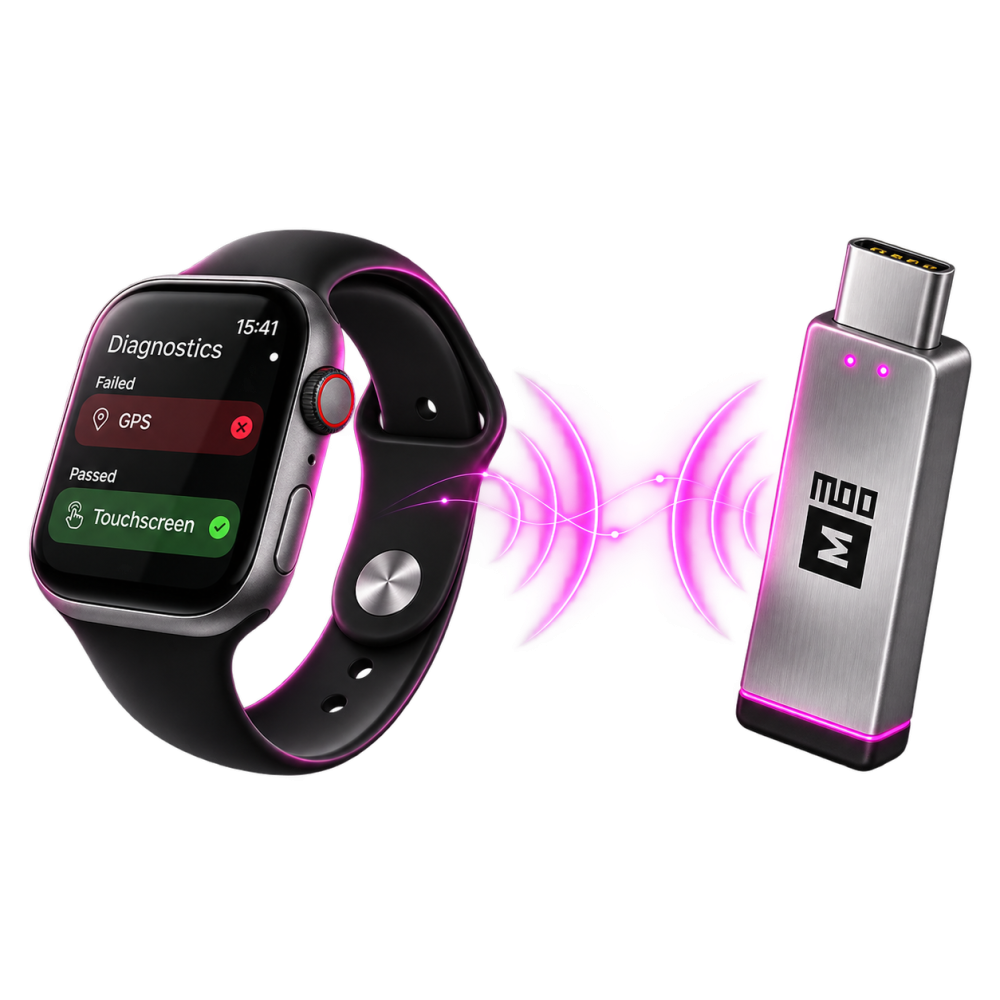
M360 is the first solution in the world to pair, set up, test and erase Apple Watches entirely wirelessly, with no cable, no iPhone and no disassembly. Plug in an M360 Wireless Adapter and process watches straight from their pairing screen. Connect more adapters to handle several watches side by side.
World-First Wireless Apple Watch Processing:
- No cable, no iPhone: M360 now connects to Apple Watches wirelessly through the M360 Wireless Adapter, without a diagnostic port adapter or a paired iPhone. Watches on their pairing screen are detected automatically, and app installs and other transfers to the watch are fast
- Fast pairing: pair a watch by typing its code or let a camera read the code from the watch’s screen. Bulk pairing pairs every selected watch one after the other
- The full Apple Watch workflow without a cable: Pair, Activate, Setup, Diagnostics, Data Erasure and Software Update, all wirelessly
- Wireless data erasure: erase Apple Watches without a cable, with the watch’s eSIM removed as well
- Complete device information without a cable: model, ECID, EID, sales region, cellular and eSIM carrier, Find My state, Activation Lock, battery health and software version, with blacklist and SIM lock checks
- Wireless watchOS updates: update watchOS on wirelessly connected watches. Turn it on in the Firmware Update settings
- M360 watch app: the app is installed, started, updated and uninstalled straight from the device card on watchOS 9 and later. It tests the touch screen, color, vibration, Digital Crown, hardware buttons, speaker, microphone, accelerometer, gyroscope, magnetic sensor, altimeter, heart rate, GPS and charging
- Automation for wireless watches: Auto Bypass Setup, Install Mobile App, Auto Diagnostics, the Find My/MDM check and data erasure run automatically when a watch connects, depending on your settings
- Apple Watch tokens: Apple Watch sessions use a separate Apple Watch token, shown next to your other token balances
- Watch diagnostics templates: diagnostics templates are now either Mobile or Watch, so each device only offers the templates that fit it
- Watch Adapters panel: a new status bar button lists every adapter with its state and connected watch
What's New:
- iOS update notification: M360 now shows when a newer iOS version is available for a connected iPhone. The device info tile is marked, and a details view shows the installed and the available version
- Samsung serial mode: serial-mode Samsung cards wait for Trade-In Mode and offer Bypass Setup, or Erase Data and Bypass Setup when Trade-In Mode is missing
- iOS 27 support: developer disk images for iOS 27, and Setup Bypass skips the new iOS 27 setup screens
- Motorola razr cover screen: the M360 app can now run its secondary screen tests on the cover screen of Motorola razr phones
- Dutch language: M360 is now available in Dutch
What's Improved:
- Settings by device type: many automation, device information and summary card settings can now be set separately for iOS, Android, wired Apple Watches and wireless Apple Watches
- Auto data erasure by device type: automatic data erasure on connection can now be turned on separately for iOS, Android and Apple Watches
- Redesigned settings: a new sidebar, search, a save bubble with Show Changes and Revert, and a regrouped Automation page. Licences, Integrations, About and Driver Manager now open from the Help and Utilities menus
- Pin to Side: the Watch Adapters, Token Balance, System Status and Batch Manager panels can be pinned to the right side of the window
- Print Label: the default label is now set separately for mobiles and watches
- App state: an outdated M360 app on a device now shows Update Needed instead of being reported as not installed
- Control bar: the control bar now uses the full width of the window, and on narrow windows its buttons hide their texts one at a time
- Setup Bypass: more reliable on iPhones, can be cancelled while it runs, and no longer gets stuck on the language screen
- Manual devices: IMEI/MEID is now optional for manually added phones
- Port names: a USB port keeps its name whichever cable or USB speed the device connects with, now also on Intel Macs. Port names can be one or two characters long, and a name already used by another port can no longer be set
- Chipset names: Android chipsets are named more accurately
What's fixed:
- Bug fixes & stability improvements: we've addressed edge cases that could occasionally cause unexpected crashes, further improving M360's overall stability and reliability

 Apple Watch